

Key Challenges and Solutions: Android App Development and Choosing the Right Technology
Successful Android app development starts with understanding goals, features, and users before choosing a technology. Therefore, clear requirements help reduce future changes and create a strong foundation.
Key Requirements Steps
- Define Core Features: Identify essential functions needed for the initial app release.
- Analyze Users: Understand user needs and how they interact with screens.
- Set Priorities: Rank features by importance to focus development efforts.
Choosing the Right Technology
Technology selection affects performance and maintenance. Consequently, decisions should depend on exact requirements rather than popularity. Furthermore, Android held 68.36% of the global market in July 2026, according to StatCounter.
Technology Selection Criteria
- App Type: Apps needing advanced capabilities may benefit from native development.
- Performance Needs: Resource-intensive apps require effective system control.
- Growth Plans: Supported technology makes future updates much easier.

Handling Android Device Diversity
Android devices differ in hardware, sizes, and OS versions. Therefore, applications must be tested carefully to maintain a consistent user experience.
Compatibility Solutions
- Responsive Design: Build interfaces that adapt to different screen sizes.
- Device Testing: Test the application across various device specifications.
- Version Management: Define supported versions while maintaining compatibility.
Improving App Performance
Performance issues stem from heavy tasks or high memory usage. Moreover, Android Vitals considers a bad crash rate of 1.09% a threshold that affects app visibility, making monitoring crucial.
Performance Improvement Methods
- Reduce Heavy Tasks: Move unnecessary operations away from the main thread.
- Optimize Data: Reduce requests and use local caching appropriately.
- Monitor Performance: Analyze usage data to spot recurring problems early.

Choosing Kotlin or Java
Language selection impacts application scalability. Furthermore, according to Android Developers, over 60% of professional developers use Kotlin today.
Practical Language Comparison
- Kotlin: Reduces repetitive code and supports safer development.
- Java: Remains useful for older, Java-based codebases.
- Project Requirements: The final choice should consider architecture and team expertise.
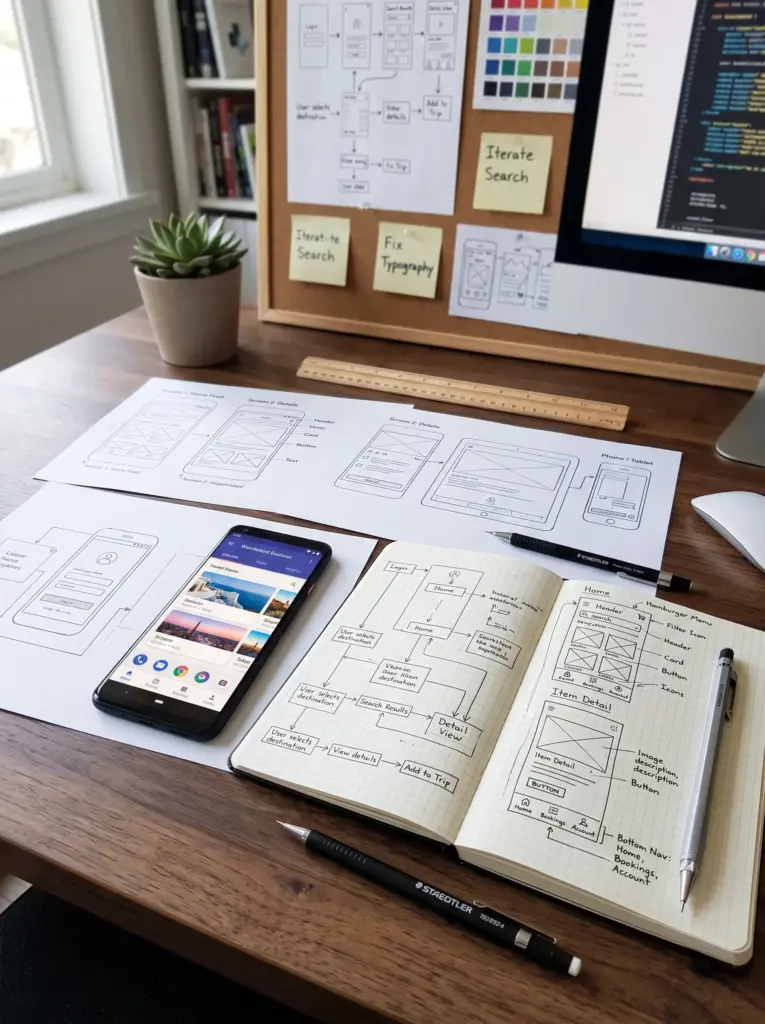
Building an Effective User Interface
A functional app can fail if its interface is slow. Therefore, effective UI design must organize content clearly to enhance user satisfaction.
Effective UI Elements
- Content Organization: Arrange info so users understand screens quickly.
- Clear Interaction: Use familiar controls to show action results.
- Screen Adaptation: Maintain consistent experiences across displays.
Protecting Data and Communications
Security is crucial when handling sensitive user info. Consequently, protection should be integrated from the beginning of development.
Essential Security Practices
- Data Protection: Store sensitive info safely to reduce breach risks.
- Secure Communication: Use encrypted channels during data transmission.
- Permission Management: Request only essential device permissions.
Managing Connectivity and Data
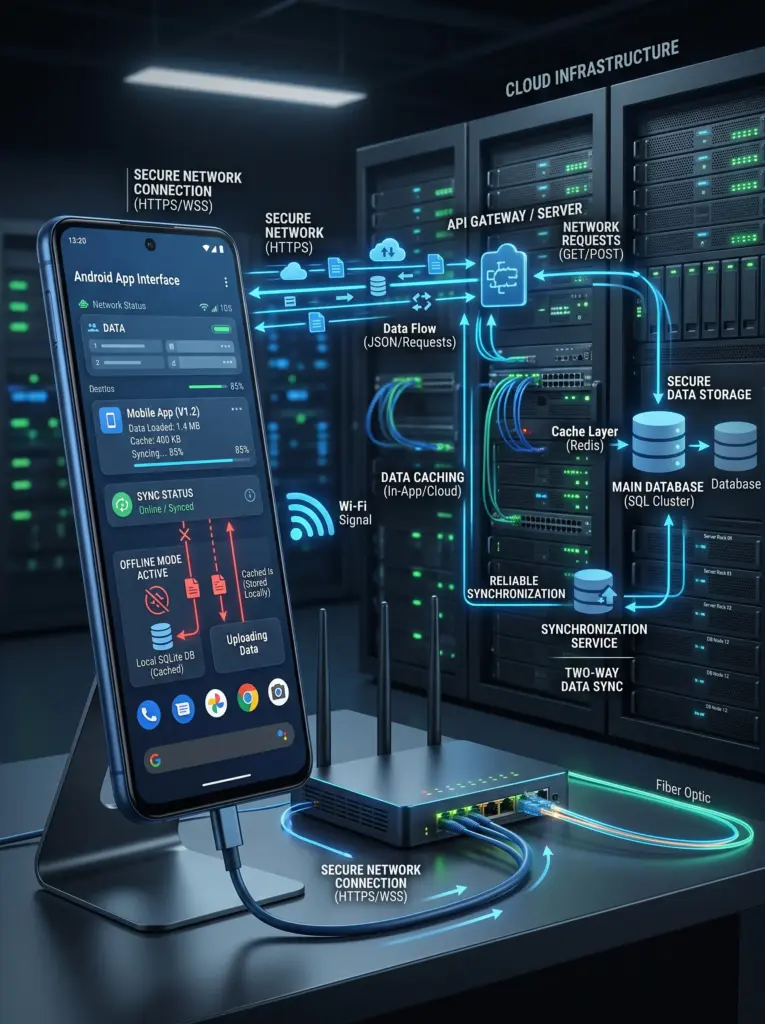
Apps often face weak connections or network interruptions. Therefore, clear strategies help maintain usability during unstable states.
Connectivity Solutions
- Data Caching: Store info locally to reduce constant network dependence.
- Error Handling: Provide clear messages when network requests fail.
- Request Management: Organize data requests to avoid repeated calls.
Testing Before Release
Systematic testing identifies issues before release. Moreover, Android Developers recommend monitoring Android Vitals to prioritize critical fixes.
Important Testing Types
- Functional Testing: Verify that core features work as required.
- Compatibility Testing: Check UI across different devices and Android versions.
- Performance Testing: Measure response times under normal usage.
Planning for Maintenance and Scalability
Development does not end with the first release. Therefore, scalable architecture makes future updates much easier.
Future Development Foundations
- Scalable Architecture: Organize components so new features integrate smoothly.
- Continuous Updates: Follow Android releases to avoid compatibility issues.
- Usage Monitoring: Analyze user feedback to guide future improvements.