

1. Importance of Web Application Testing
Testing is a vital step to ensure quality before launch. Therefore, it helps detect errors early and improves stability. Furthermore, recent reports show that tested apps face fewer failures. In addition, it enhances the overall user experience effectively.
Key Testing Objectives
- Improve stability: It detects issues before they reach users to ensure a smooth flow.
- Enhance performance: It helps measure and improve the app speed continuously.
- Strengthen trust: It builds a reliable experience that users can truly count on.
2. Types of Web Application Testing
Testing methods vary to cover all technical aspects. For instance, they ensure a full evaluation of every system part. Consequently, this leads to a stable final approval. Here are the main categories used in the industry:
Testing Categories
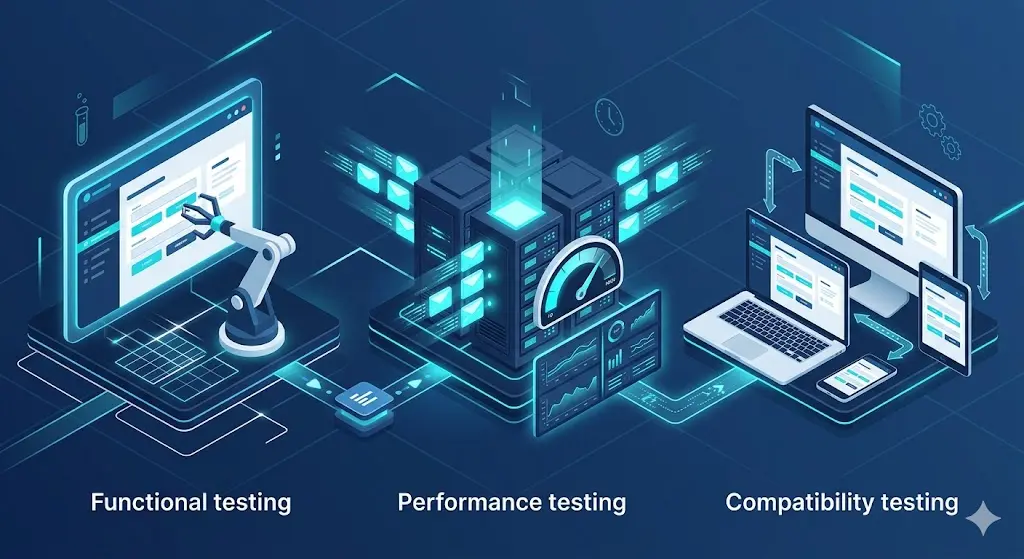
- Functional testing: This ensures all features work correctly without any hidden errors.
- Performance testing: It measures the system capacity even under a very heavy user load.
- Compatibility testing: This makes sure the app works well on all browsers and devices.
3. Performance and Efficiency Testing
This type focuses on analyzing speed and responsiveness. Specifically, it aims to reduce delays and annoying slowdowns for the user. As a result, the app becomes more efficient under different conditions.
Evaluation Areas
- Response time: Measuring how fast the system can execute different operations.
- Load handling: Testing the ability to support many users at the same time.
- Resource usage: Monitoring CPU and memory to ensure the best possible efficiency.
4. Security Testing and Protection
Security testing aims to protect the system from modern threats. Since many apps contain vulnerabilities, proper testing is a core requirement. Moreover, it ensures that sensitive data stays safe from any exploitation.
Security Areas
- Vulnerability scanning: Detecting weak points before they can be used in attacks.
- Data protection: Securing all private info using strong encryption technologies.
- Access management: Controlling who can see what in a very secure way.

5. Usability Testing
This type evaluates how easily people can use your application. Specifically, it focuses on design clarity and smooth navigation. Thus, users can find what they need without any complex steps or confusion.
Evaluation Elements
- Ease of navigation: Ensuring clear paths so users never get lost in the app.
- Content clarity: Using a simple layout to help people understand the message.
- User satisfaction: Measuring how happy people are during their actual usage.
6. Automation Testing
This approach uses advanced tools to run tests automatically. As a result, it saves a lot of time and increases accuracy. In fact, most modern projects now rely on automation to avoid human errors.
Automation Components
- Faster execution: Reducing the time needed for repeated and boring tests.
- Accuracy of results: Minimizing mistakes that often happen with manual work.
- Reusability: The ability to use the same test scenarios many times easily.

7. Cross-Device Compatibility Testing
This test ensures the app works on all devices and browsers. Consequently, users will have the same great experience everywhere. Whether they use a phone or a PC, the app remains stable and fast.
Compatibility Areas
- Different browsers: Ensuring support for Chrome, Safari, and all modern browsers.
- Various devices: Optimizing how the app looks on mobile and desktop screens.
- Operating systems: Ensuring stability across Windows, iOS, and Android.
8. Web Application Testing Tools
Modern tools help run tests with high speed and precision. Therefore, they improve the quality of results while reducing manual effort. In addition, these tools make the developer’s life much easier.
Types of Tools
- Performance tools: Used to analyze how fast and efficient the app is.
- Automation tools: These facilitate repeated tests without any manual work.
- Bug analysis tools: They help find and fix technical issues very quickly.

9. Quality Assurance Process
This process builds a system that ensures the app meets all standards. First, it involves careful planning. Then, it moves to execution and review to ensure the best possible performance.
Quality Stages
- Planning: Defining clear standards and goals before the work starts.
- Execution: Running all tests across every part of the system.
- Review: Analyzing the results to apply the necessary improvements.
10. Challenges in Application Testing
Testing faces several challenges like system complexity. Furthermore, requirements change constantly, which requires flexible solutions. In fact, many failures are linked to poor performance testing.
Key Challenges
- System complexity: Large apps make the testing process more difficult.
- Continuous updates: Frequent changes mean you have to retest often.
- Environment diversity: Many devices and browsers add more layers of complexity.

11. Future of Web Application Testing
The field is moving toward artificial intelligence. As a result, testing will become faster and more accurate. Eventually, this will reduce the need for human intervention while improving overall quality.
Modern Trends
- Artificial intelligence: Automatically detecting errors with great accuracy.
- Predictive analysis: Anticipating potential issues before they even occur.
- Advanced automation: Developing smarter tools for a better testing process.