
1. Introduction to Content Management Systems
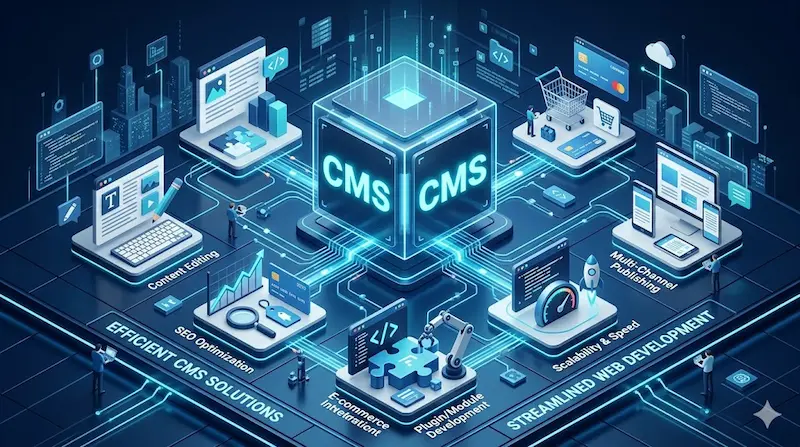
Content management systems (CMS) serve as the basic foundation for modern websites. Consequently, they allow users to control pages easily without needing advanced technical skills. Moreover, these systems provide great flexibility. As a result, managing and updating digital content becomes a smooth and efficient process for everyone. This includes several types of systems such as:
- Open-source systems: These offer a flexible environment. Additionally, they receive continuous support from a large community.
- Custom systems: They are specifically designed to meet unique needs. Therefore, they give you full control over the internal structure.
2. CMS Architecture Structure
The system architecture is based on dividing the platform into a front-end and a back-end. This division ensures ease of use while maintaining strong data control. Furthermore, it enhances processing efficiency. Because of this organized structure, the system becomes more stable. The core components are:
- Presentation layer: This layer controls how users see the content. It also ensures a very smooth browsing experience.
- Management layer: It allows for direct control. Consequently, you can edit and update content in an efficient way.

3. CMS Customization
Customizing a CMS helps adapt the platform to achieve different goals. For instance, you can use it for educational or interactive purposes. This customization increases both flexibility and usability. In addition, it helps the platform grow with your project. Key areas include:
- Function modification: You can add or remove features easily. Thus, it matches your specific usage requirements perfectly.
- Custom interface design: This creates a visual experience aligned with your identity. Therefore, it improves user engagement.

4. User Experience in CMS
User experience (UX) is a key factor in the success of any digital system. It directly affects how easily people interact with your content. According to Google UX studies, improving the experience significantly increases user retention. Specifically, better UX leads to higher satisfaction through:
- Simple and clear design: It helps users find information quickly. As a result, it prevents confusion during navigation.
- Smooth interaction: This ensures a very fast response. Consequently, users feel more comfortable using the system features.
5. System Performance and Speed
Performance is one of the most important factors for CMS quality. It directly affects loading speed and system responsiveness. According to Google PageSpeed Insights, even a short delay can reduce engagement. Therefore, optimization is necessary. Important methods include:
- Resource compression: This reduces file sizes significantly. Consequently, it improves the overall loading speed for users.
- Efficient caching: It speeds up access to data. Thus, the system handles frequent requests much faster.

6. Security in CMS
Security is essential to protect data and prevent unauthorized access. It includes multiple protection levels to ensure stability. Moreover, a secure CMS builds trust with your users. As a result, digital safety becomes a top priority. Key protection levels involve:
- Data encryption: This protects information during transfer. Therefore, it stays safe from any potential digital threats.
- Permission management: It controls who can access the system. Consequently, it keeps the internal data organized and secure.
7. Search Engine Optimization in CMS
CMS platforms play an important role in improving search rankings. They help by structuring content in a search-friendly way. For example, Search Engine Journal reports that well-structured pages get higher visibility. Additionally, good SEO attracts more visitors. Factors include:
- Heading structure: Proper headings help search engines understand your content. Thus, your site ranks better in results.
- Internal link optimization: This connects your pages logically. Consequently, it leads to better indexing and easier navigation.
8. System Integration
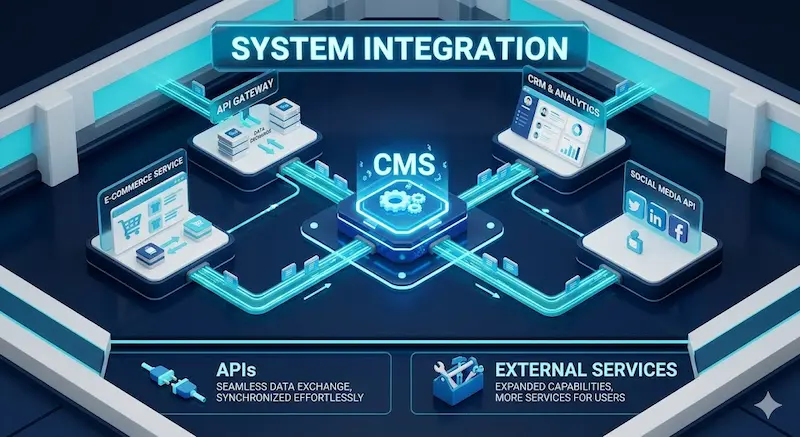
Integration with external systems enhances CMS flexibility. It allows features to expand without rebuilding everything from scratch. In addition, it connects your platform with modern tools. As a result, the system becomes more powerful. Integration types include:
- APIs: These enable seamless data exchange between different systems. Therefore, your data stays synchronized effortlessly.
- External services: Adding new tools enhances system capabilities. Consequently, you can offer more services to your users.
9. Scalability
Scalability refers to the system’s ability to handle more content or users. This ensures smooth long-term growth without losing performance. Moreover, it protects your investment as your business expands. Consequently, the system remains reliable. Scaling strategies include:
- Load distribution: This reduces server pressure significantly. Thus, it improves responsiveness during high traffic periods.
- Gradual expansion: You can add resources exactly when needed. Therefore, you maintain performance without extra costs.
10. Analytics and Performance Tracking
Data analysis helps you understand user behavior. Furthermore, it allows you to improve content quality continuously. According to Statista, many platforms rely on analytics for better decisions. As a result, you can grow your audience effectively. Tools include:
- Traffic tracking: It shows user activity within the system. Consequently, you can see where your visitors come from.
- Interaction analysis: This identifies the most effective pages. Thus, you can focus on what users love most.

11. Maintenance and Updates
Regular maintenance ensures the system remains stable and efficient. It also protects your site from technical issues over time. Moreover, keeping everything updated improves digital safety. As a result, performance stays high. Maintenance tasks include:
- Regular updates: These keep the system compatible with modern tech. Therefore, your site always runs smoothly.
- Bug fixing: This prevents recurring technical issues. Consequently, the user experience remains consistent and professional.